Phishing remains one of the most common ways criminals attempt to steal passwords, financial information, and other sensitive data. Instead of directly attacking a computer, phishing attacks often target the person using it.
A phishing message may impersonate your bank, employer, delivery company, government agency, streaming service, or even someone you know. The objective is usually simple: convince you to click a malicious link, open an attachment, disclose credentials, approve an authentication request, or send money.
Modern phishing can also be highly convincing. Good spelling and professional-looking graphics are no longer reliable indicators that a message is legitimate. The FTC warns that phishing commonly uses stories about suspicious account activity, payment problems, unexpected invoices, refunds, or requests to confirm personal information.
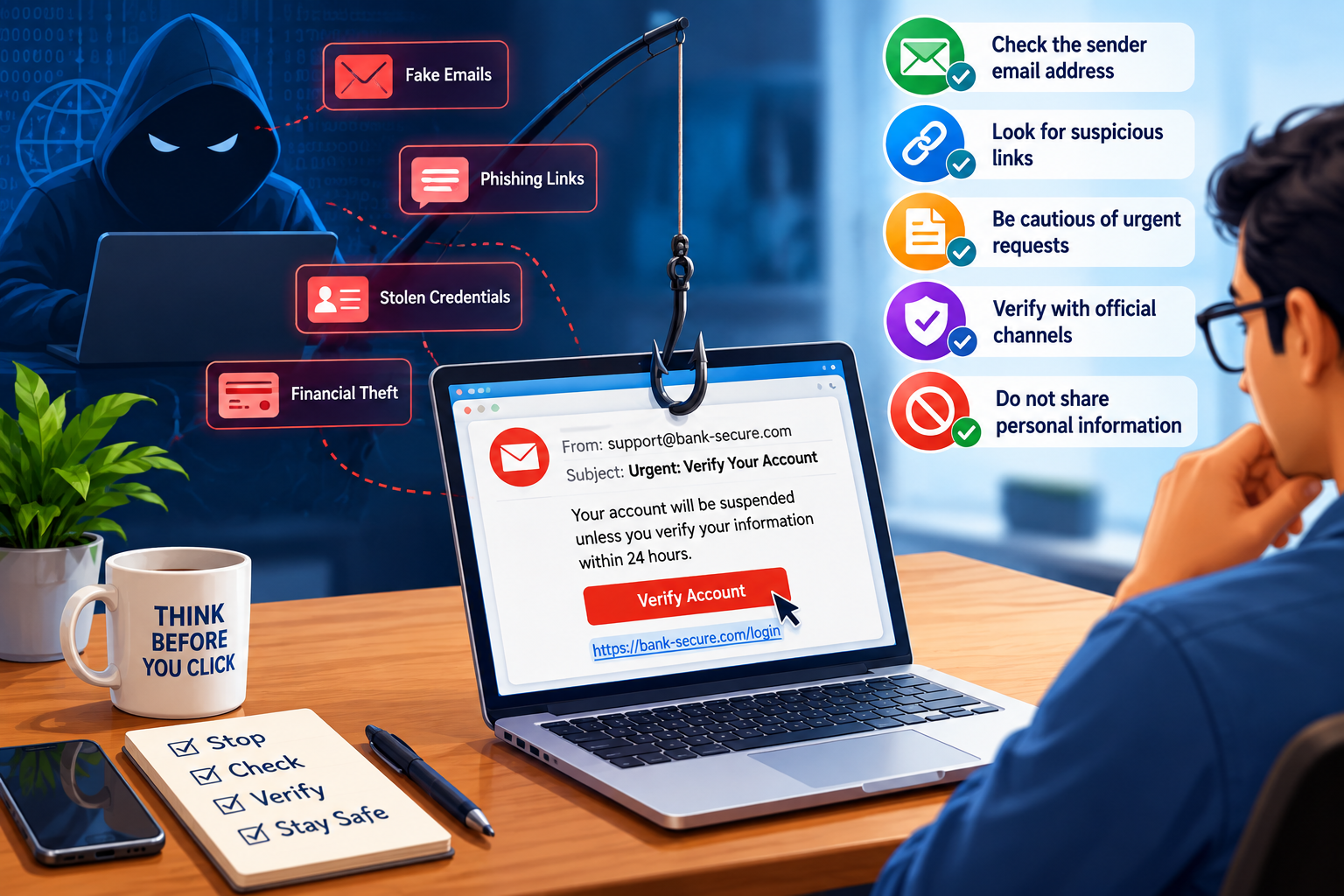
1. Be suspicious of urgency
One of the strongest phishing techniques is creating a sense of urgency:
“Your account will be suspended.”
“Payment failed—update your information immediately.”
“Someone logged into your account.”
“Your package cannot be delivered.”
Urgency encourages you to react before verifying the message. The FTC identifies pressure to act immediately as a common characteristic of scams. Consumer Advice
When a message creates fear, excitement, or urgency, slow down and verify it independently.
2. Don’t automatically trust the sender
A familiar display name or company logo does not prove that a message is genuine. Attackers can impersonate organizations and individuals.
Check the complete sender address rather than only the displayed name. Watch for misspelled domains, unexpected addresses, unusual reply-to addresses, and domains designed to resemble legitimate ones.
Also remember that a legitimate-looking message can sometimes originate from a compromised account.
3. Don’t click unexpected links
Treat links in unexpected emails, texts, social-media messages, and messaging apps cautiously.
Instead of clicking a message claiming there is a problem with your bank or another account, open the company’s official app or enter its known website address yourself. The FTC similarly recommends contacting an organization using a website or telephone number you know is genuine rather than information contained in the suspicious message. Consumer Advice
The same principle applies to QR codes. A QR code is effectively another way of directing you somewhere online, so don’t assume it is trustworthy simply because you cannot immediately see the destination.
4. Never disclose passwords or verification codes
Be extremely cautious when someone unexpectedly asks for:
- Passwords or PINs
- Credit-card or banking information
- One-time verification codes
- Account recovery codes
- Personal identification information
- Authentication approvals
A particularly important rule is never give another person a one-time authentication code because they asked for it.
5. Use unique passwords and a password manager
Every important account should have a strong, unique password.
Reusing passwords creates a dangerous domino effect: if one account is compromised, attackers may attempt those credentials against other services.
A reputable password manager can generate and store long, random passwords so you don’t have to remember every password yourself. CISA also recommends long, strong, unique passwords and using a password manager. CISA
6. Enable multi-factor authentication
Multi-factor authentication (MFA) provides an additional barrier if an attacker obtains your password.
Where available, consider phishing-resistant authentication, such as passkeys or hardware security keys, especially for critical accounts. CISA notes that not all MFA methods provide the same protection and recommends phishing-resistant MFA as the strongest form. CISA
At minimum, enable MFA on your email, banking, cloud-storage, social-media, shopping, and other sensitive accounts.
7. Never approve an unexpected MFA request
Attackers who already know your password may repeatedly send authentication requests hoping that you eventually tap Approve.
If you receive an authentication request when you aren’t signing in, deny it. Then investigate the account, change the password if appropriate, and review recent sign-in activity.
An unexpected authentication prompt can itself be a warning that someone is attempting to access your account.
8. Keep your devices updated
Keep your computer, smartphone, browser, security software, and applications updated. Enable automatic updates wherever practical.
Security updates address vulnerabilities that malicious websites, attachments, or software could potentially exploit. The FTC recommends keeping security software and operating systems automatically updated as another layer of protection. Consumer Advice
9. Verify unusual requests through another channel
Suppose you receive an email apparently from your manager asking you to purchase gift cards, a family member urgently requesting money, or a supplier unexpectedly changing banking details.
Verify the request independently.
Call the person using a number you already know, speak to them directly, or contact the organization through an established channel. Do not rely solely on contact information supplied in the suspicious message.
This becomes increasingly important as impersonation techniques become more sophisticated.
10. Know what to do if you clicked
Accidentally clicking a phishing link doesn’t mean you should ignore what happened.
If you entered a password, change it immediately and change it anywhere else you reused it. Enable MFA, review active sessions and recent account activity, and sign out unknown devices. If you downloaded something suspicious, update your security software and run a security scan; this is also recommended by the FTC. Consumer Advice
If financial information was disclosed, contact the relevant financial institution promptly.
The most important habit: Stop, verify, then act
Technology such as spam filtering, secure DNS, endpoint protection, password managers, passkeys, and MFA can dramatically reduce risk, but phishing ultimately tries to persuade you to make a decision.
Before clicking, downloading, paying, authenticating, or providing information, ask yourself:
Was I expecting this message? Who is really asking me? Why do they need this information? Can I verify the request independently?
Conclusion
Phishing attacks succeed by exploiting trust, urgency, curiosity, and fear. Your strongest defense is therefore a combination of technology and awareness.
Use unique passwords, enable MFA or passkeys, keep your devices updated, avoid unexpected links and attachments, and independently verify unusual requests. Most importantly, never allow an unexpected message to pressure you into making an immediate security or financial decision.
A few seconds of verification can prevent a compromised account, financial loss, malware infection, or identity theft.
When in doubt: don’t click—verify.
For additional guidance, see the FTC’s guide to recognizing and avoiding phishing scams and CISA’s phishing security guidance.

